
Quick answer
Use schedules for risky times and limits for total use
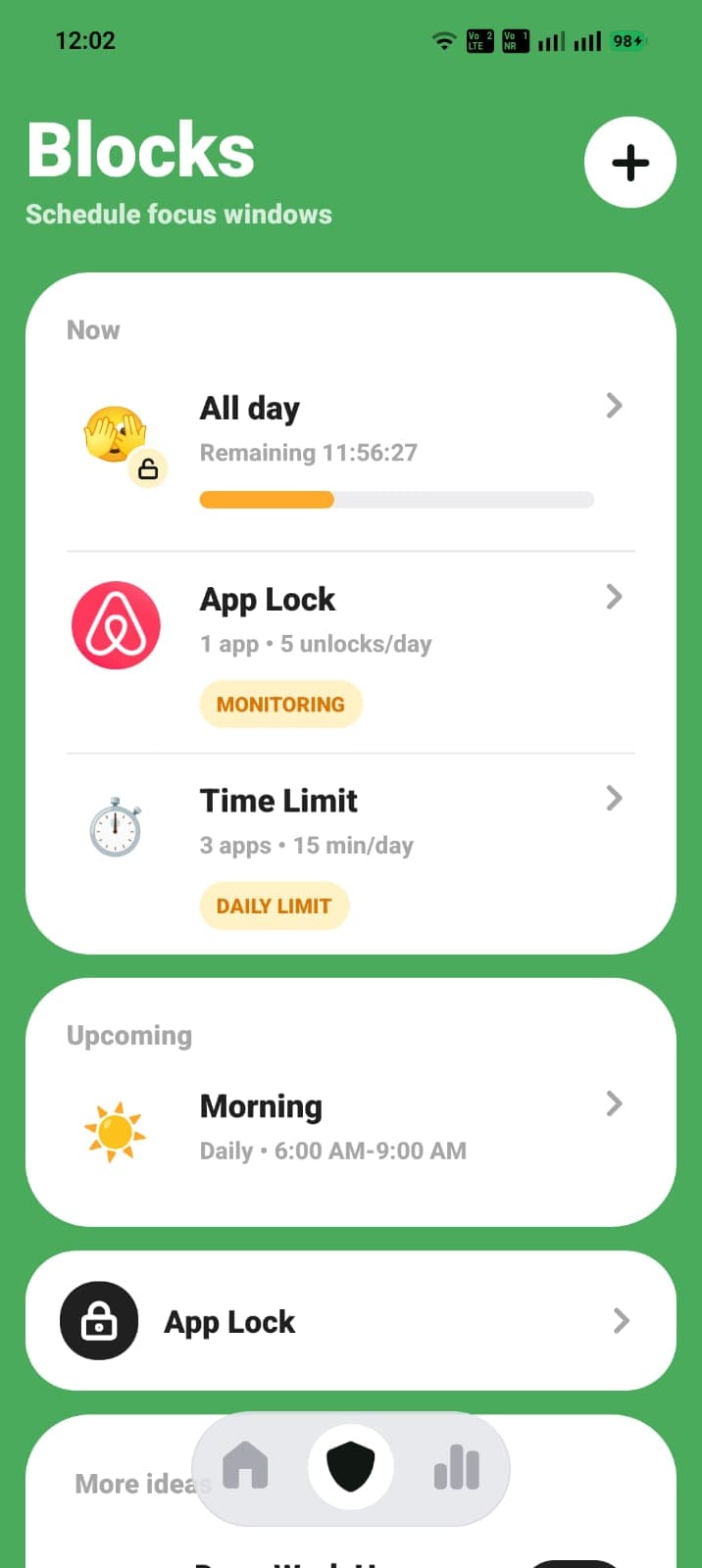
Choose a blocker that can protect repeat windows, cap daily app use, allow limited breaks, and show whether the rule is working. Start with two or three distracting apps. A focused rule is easier to keep than locking down your entire phone.
Match the blocker to the moment you lose focus
People search for an app blocker for different reasons. One person needs uninterrupted study sessions. Another wants to stop opening social media before getting out of bed. Someone else is fine during the day but scrolls past midnight. The right rule depends on the moment, not just the app.
Use a scheduled block when timing is the problem. Use a daily time limit when the total amount is the problem. Use a focus session when your schedule changes from day to day. Combining those rules is often more practical than relying on one strict all-day block.
- Scheduled blocks for work, study, mornings, and bedtime.
- Daily limits for useful apps you still want to access.
- Focus sessions for one-off tasks or changing routines.
What the best app blockers should make easy
A good app blocker should let you choose specific apps, set a clear start and end time, and understand what happens if you need a break. If the rule takes too long to create or is difficult to read later, it is less likely to become part of your routine.
Reports also matter. Screen time, pickups, top apps, and weekly trends help you check whether the rule changed your behavior. Without that feedback, it is easy to keep adding restrictions without knowing which one helped.
- A short, readable blocked-app list.
- Repeat schedules and immediate focus sessions.
- Limited unlocks instead of an all-or-nothing escape.
- Usage reports that make the next adjustment obvious.
Start by blocking two or three apps
Choose the apps you open automatically rather than the apps with the highest theoretical risk. Your first list might include a short-video app, a social feed, and a game. Keep maps, banking, calendars, and essential communication available unless they are genuinely part of the distraction.
Run that rule for a week before expanding it. If another app becomes the new default, add it later. A small list gives you a clean signal about whether the blocker is helping.
Know when built-in controls are enough
Apple Screen Time and Android Digital Wellbeing are sensible starting points for basic app limits and focus settings. Try them first if you mainly need a reminder or a simple cap.
A dedicated app blocker is more useful when you want several repeat schedules, limited breaks, app-open controls, or a clearer review loop. The goal is not to install more software than you need. It is to choose the smallest system that reliably changes the habit.
ScreenPup setup
How to use ScreenPup for this goal
- 01
Choose your goal
Pick one outcome such as a phone-free morning, a protected study block, or less late-night scrolling.
- 02
Select the distracting apps
Add the two or three apps that most often turn a quick check into an unplanned session.
- 03
Create the right rule
Use a focus session, repeat schedule, daily limit, or App Lock based on whether timing, duration, or repeated opening is the problem.
- 04
Review the week
Check ScreenPup's screen-time trends, pickups, focus score, and top apps, then change one part of the rule at a time.
Try the setup
Turn the guide into one rule today
ScreenPup combines app blocking, focus sessions, schedules, daily limits, limited unlocks, and usage reports on iPhone and Android.
All ScreenPup features require a subscription.Specific questions
Frequently asked questions
What is an app blocker?
An app blocker is a tool that limits access to selected apps by schedule, focus session, usage time, or another rule. It creates a stopping point before or during a distracting session.
Learn more: Compare app blockers and screen-time limitsWhat should I look for in the best app blocker?
Look for specific app selection, repeat schedules, daily limits, flexible breaks, and useful reports. The best choice is the one that matches your failure moment and is simple enough to repeat.
Learn more: See the app blocker checklistCan an app blocker block social media without blocking my whole phone?
Yes. You can select the social apps that cause the problem and leave essential tools available. You can also restrict them only during work, study, morning, or bedtime windows.
Learn more: Set up a social media blocker